[PAID] FirebaseIAM : Implement InAppMessaging with Latest SDK - v21.0.0 ($5 or INR 301)
Overview
Latest Version: 1
Released: July 16, 2024
Last Updated: July 16, 2024
Key Features:
- Enable/Disable IAM Receiving: Easily toggle the reception of IAM messages without altering your app's core functionalities.
- Temporary Message Suspension: Temporarily stop messages from displaying, perfect for maintenance or special events (like payments flow).
Firebase IAM offers beautiful and customizable layouts, including:
- Card
- Modal
- Top Banner
- Image Only
Enhance your app's messaging capabilities with these versatile and engaging designs.
Blocks


Documentation
Methods:
Init

Initialize Firebase InAppMessaging Client with provided credentials. You need to call this method only once and then extension will auto init client itself.
|Parameter|Type|
| --- | --- |
|projectId|text|
|apiKey|text|
|appId|text|
|senderId|text|
EnableInAppMessaging

Enables InAppMessage receiving
DisableInAppMessaging

Disables InAppMessage receiving
IsInAppMessagingEnabled

Returns whether message receiving is enabled or not
Return Type: boolean
SuppressIAM

Suppress messages from displaying temporarily
UnSuppressIAM

Un Suppress messages and let them be shown when possible
AreMessagesSuppressed

Returns whether messages has been supressed or not
Return Type: boolean
TriggerEvent

Shows message associated with given event
|Parameter|Type|
| --- | --- |
|eventName|text|
Events:
InAppMessageClicked

Event raised when InAppMessage is clicked
|Parameter|Type|
| --- | --- |
|campaignId|text|
|messageType|text|
|message|dictionary|
|actionUrl|text|
InAppMessageDismissed

Event raised when InAppMessage is dismissed
|Parameter|Type|
| --- | --- |
|campaignId|text|
|messageType|text|
|message|dictionary|
InAppMessageDisplayError

Event raised when error occurred in showing InAppMessage
|Parameter|Type|
| --- | --- |
|errorReason|text|
Purchase Extension
Preview
- Top Banner
- Card
- Modal
- Image Only
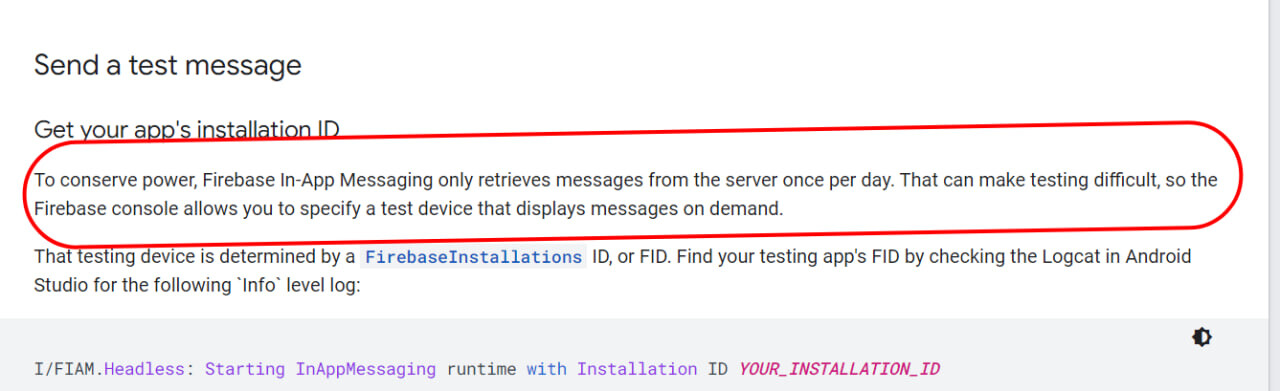
Note: Messages are fetched only once per day to preserve battery.
I would recommend to read firebase docs.
https://firebase.google.com/docs/in-app-messaging/explore-use-cases


Thank you.
Hope it helps!