[PAID] MicrosoftSTT: Convert Speech to Text using Microsoft SpeechToText API ($5 or INR 301)
Overview
Easily integrate speech-to-text functionality into your AI2 and Kodular apps with the MicrosoftSTT extension. This powerful tool leverages Microsoft's Speech-To-Text API to provide accurate and efficient audio transcription.
Latest Version: 1
Released: July 27, 2024
Last Updated: July 27, 2024
Permissions: android.permission.READ_MEDIA_AUDIO or android.permission.READ_EXTERNAL_STORAGE (depending upon Android version)
Sponsored by @Homie
Blocks
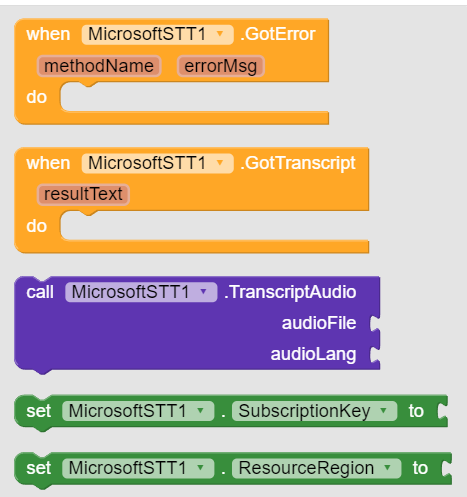
Documentation
Events
| GotError | Event raised when error occursmethodName | texterrorMsg | text |
| GotTranscript | Event raised when audio was successfully transcriptedresultText | text |
Methods
| TranscriptAudio | Get text from audio (wav) fileaudioFile | textaudioLang | text |
Properties
| SubscriptionKey | Set Ocp Apim Subscription key Property Type : write-only Accepts : text |
| ResourceRegion | Set resource region Property Type : write-only Accepts : text |
Note: resultText parameter will be json text in case of error. Check if there is RecognitionStatus in result or not. If it is present then an error occurred in backend. In this case, its value can be NoMatch , InitialSilenceTimeout , BabbleTimeout or Error
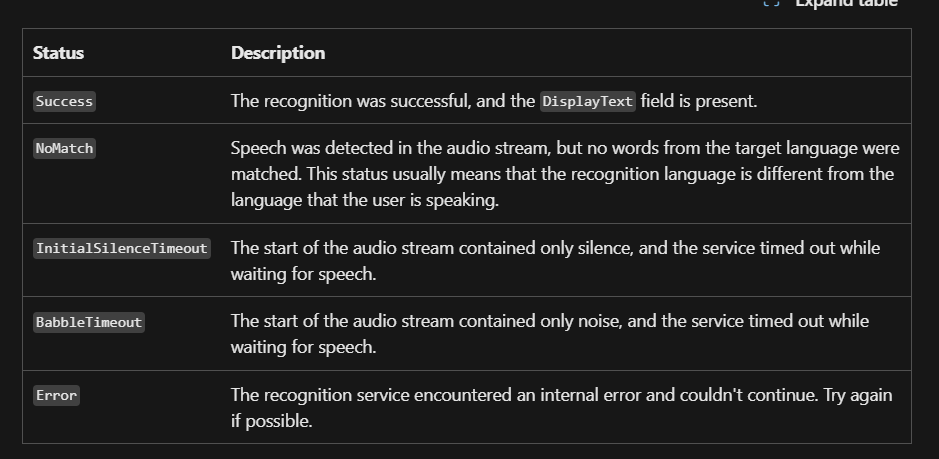
Success is never returned in resultText
Example Usage
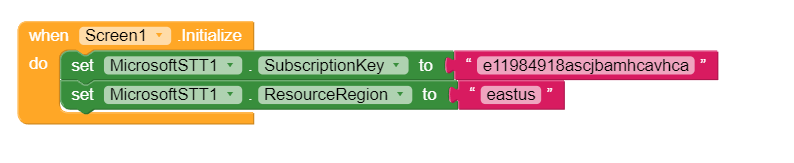
First set credentials.
You can set them from Designer property also.
Now either pick audio or provide its path directly. Extension only supports wav files.

only file paths are supported, so if you got an uri then convert into file path
Get transcripted text
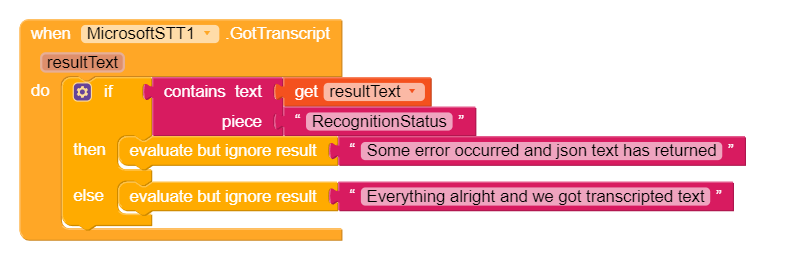
GotError method delivers internal and HTTP request errors only
Read more about Microsoft SpeechToText API here:
https://learn.microsoft.com/en-us/azure/ai-services/speech-service/index-speech-to-text
Supported Launguages:
https://learn.microsoft.com/en-us/azure/ai-services/speech-service/language-support?tabs=stt
Purchase Extension
Thank you.
Hope it helps!